
New York Times
Video that moves with the story
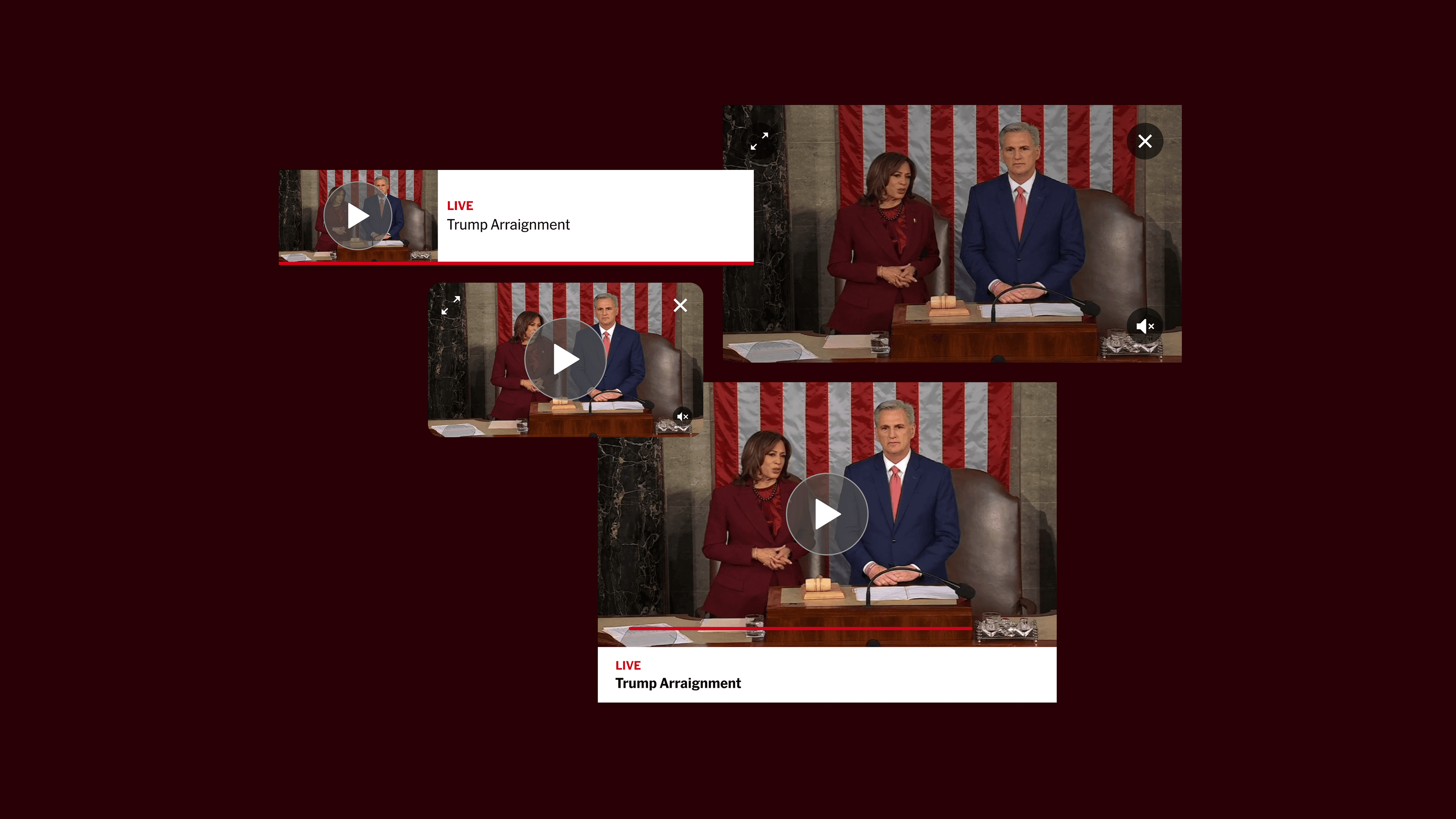
As video consumption accelerates, the New York Times needed a way to deliver real-time updates alongside traditional long-form journalism. I designed a live stream mini-player that integrates seamlessly into the reading experience, without disrupting it.
ROLE
Product Design Intern
TEAM
Live Storytelling
SKILLS
Video Prototyping
Design Systems
Iconography
TIMELINE
2 Weeks
PROBLEM
How do you read and watch live news at the same time?
The New York Times had no way for readers to watch breaking news while continuing to read, forcing users to choose between reading or watching. The challenge wasn’t just designing a video player, it was enabling video in a way that supported journalism without interrupting it.
📰
Current video formats compete with reading
The existing video format is primarily a viewing experience, where users have to choose between reading and watching.
👩💻
Need for simplified, accessible iconography
The current iconography was designed with larger video formats in mind, prompting the creation of a new set of icons for this experience.
SOLUTION
Live Video That Doesn't Interrupt the Story
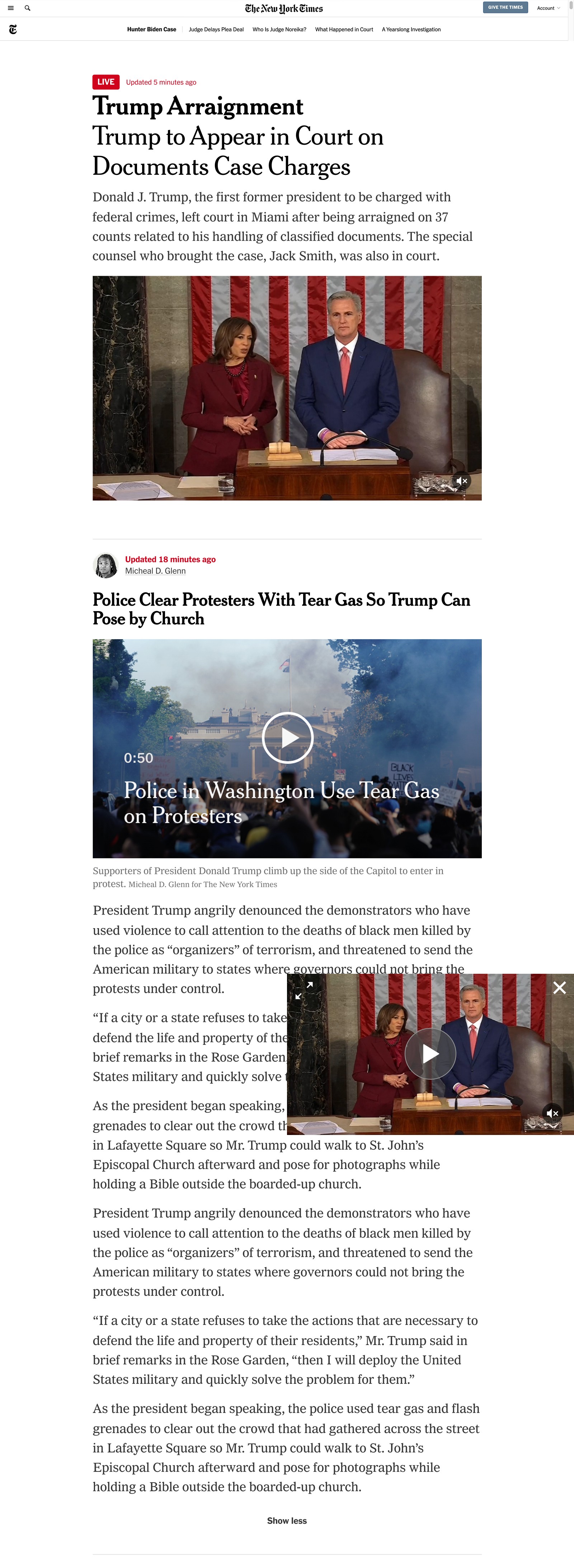
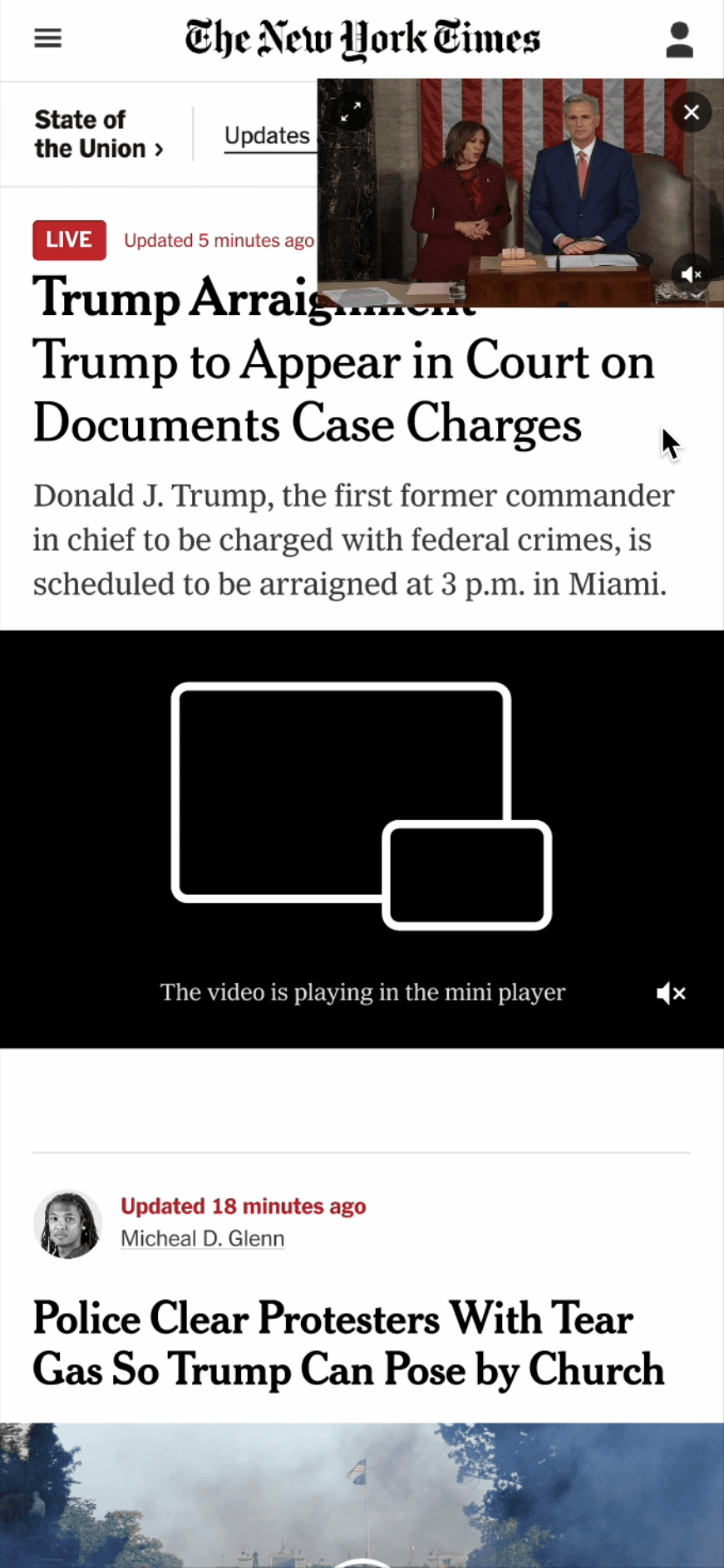
I introduced a flexible mini-player that lets readers watch while continuing to read. A movable mini-player on app and mobile enabled seamless multitasking, while a fixed player on desktop prioritized simplicity. The result was a video experience that complemented the journalism instead of competing with it.
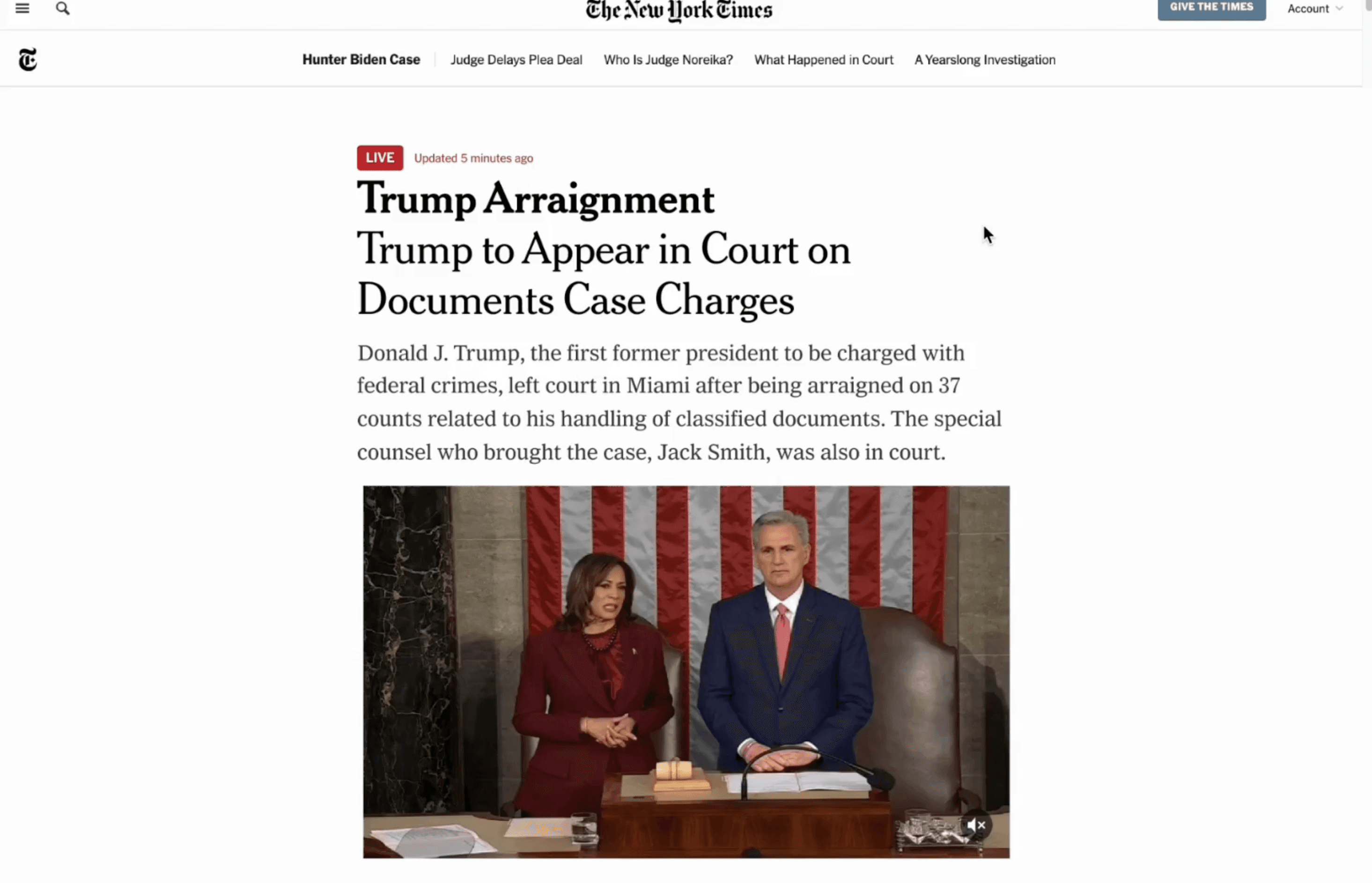
Figma Prototype
RESEARCH
Mobile users skewed younger and embraced multitasking. Desktop users tended to be older and preferred simplicity.
This insight led me to approach mobile and desktop differently. The Times caters to a broad audience, and I wanted to capture the varying preferences.
I audited traditional news platforms (BBC, WaPo, NBC, CNN) and streaming leaders (YouTube, Twitch) to understand the full range of mini-player patterns. The key distinction for The Times: video was supplemental, not the focus.
YOUTUBE
Youtube
4 video formats & rich functionality, but risks overwhelming older users.
Best Functionality
TWITCH
Twitch
Similar to YouTube, but with smaller dimensions and no progress bar.
Visual Consistency
CNN
CNN
No player on desktop. Different experiences on app and mobile
Inconsistent
WASHINGTON POST
Washington Post
Only the essentials. Easy to use, but doesn't invite engagement.
Too minimal
BBC
BBC
Clear icons, but limited functionality and inconsistencies across platforms.
Inconsistent
NBC
NBC
Immovable player and minimal features, but consistent visually
Immovable
DESIGN GOAL
Create a familiar yet forward-thinking player that follows the reader, not the other way around
DESIGN PROCESS
Three directions, each with a different trade-off
I explored three video player patterns: full-width bands, fixed mini-players, and draggable mini-players. After evaluating the tradeoffs of each, I landed on a hybrid approach that balances reader experience with business goals.
Connect CMS Image fields (Image 1-10)
FINAL DESIGNS
Movable on mobile. Fixed on desktop.
The final design uses a movable mini-player on app and mobile (where users are accustomed to drag behavior) and an immovable player on desktop (where simplicity wins). Icons are stripped to essentials, with the mini-player icon as the one exception.

DESIGN DETAILS
MOBILE VS DESKTOP
Desktop and mobile have fundamentally different relationships with persistent UI.
On desktop, a fixed player is rarely obstructive. On mobile, a fixed element can block critical reading area. The question was whether to design a unified behavior or a platform-specific one.
Movable Player

DESIGN DETAILS
ICONOGRAPHY
Previous video formats lacked iconography; the icons I designed would set the precedent for all future video features.
IMPACT
Times' users have a new way to interact with the news
The mini-player format I designed expanded The Times' audience reach by introducing live video into the reading experience for the first time. The iconography standards I established became the foundation for all subsequent video features.
📐
Setting the standard
Establishing a foundation for how video will look, behave, and feel across all future NYT platforms.
📱
Side by Side News
Now readers can watch breaking news without leaving the article they're reading.
📈
New audience, new format
The Times can now reach an audience previously underserved by a text-first platform.
TAKEAWAYS
What building a "first" taught me
01
Less is more, but less requires more work
Getting to simplicity meant eliminating features that would have been easy to add. Every icon that didn't make the cut was a deliberate decision, not an oversight. The restraint was the hardest part
02
The same pattern can be wrong on different platforms
A fixed player works on desktop, where screen real estate is generous. On mobile, that same fixed position blocks the content readers came for. Designing the same behavior for both platforms technically would have been easier, but it'd be wrong. Different contexts deserve different solutions.